
For Shopify brands that want to stop managing inventory, the fix is not another app subscription. Outsource to a 3PL that owns the inventory ledger and writes available-to-sell (ATS) back to your Shopify location, with a live portal you can check anytime. On the first discovery call, ask how that provider, whether it is ENVIO or another candidate, updates Shopify’s inventory states and how fast.
TL;DR:
- Require the portal to show available to sell by Shopify location, pending returns, unavailable units, and timestamps, with reservations deducted from warehouse counts.
- Deduct orders immediately, correct drift hourly, reconcile the full ledger nightly, and count rotating stock weekly; assign one person to review variance alerts.
- Before launch, test cancellations after picking, split shipments, edited orders, inspected returns, and wholesale reservations; confirm each flow updates Shopify’s available inventory correctly.
- Pilot one or two SKUs for 30 to 60 days, compare providers using accuracy reports, returns turnaround, references, and itemized fees before expanding.
Table of Contents
- Why outsource inventory to a 3PL instead of installing inventory software
- [Inventory visibility: demand available-to-sell, not just on-hand](#inventory-visibility-demand-available-to-sellhttpsicelanddirecttoursishow-real-time-data-is-revolutionizing-supply-chain-visibility-not-just-on-hand)
- Integration and handoffs: the five critical data flows and pre-launch tests
- Reconciliation playbook: cadence and ledger architecture to prevent oversells
- Evaluation checklist: questions, metrics, and contract items to request from a prospective 3PL
- How ENVIO approaches Shopify fulfillment and inventory truth
- Comparison of top Shopify inventory apps: features, pricing, and ratings
- Criteria for selecting the best outsourced fulfillment partner for your size and model
- How to set up and configure an outsourced fulfillment integration in Shopify
- Automation capabilities and alerts in outsourced fulfillment
- Common challenges and troubleshooting tips with outsourced fulfillment
- Data security and permissions management in outsourced fulfillment
- When to switch: a practitioner’s migration sequence from DIY to a 3PL-first model
- Get a direct quote from ENVIO for your fulfillment
- FAQ
- Sources
Why outsource inventory to a 3PL instead of installing inventory software
Software still requires your team to run the warehouse: counting stock, approving transfers, and fixing sync errors. Outsourcing moves that labor, and the ledger itself, to a partner whose job is to keep counts right. Brands usually feel this shift around the point where SKU count, order volume, and channel mix make manual reconciliation a full-time job rather than a weekly chore, often as revenue climbs past the $10 million mark toward $20 million.
The pains that push brands to switch are consistent:
- Hours spent each week reconciling spreadsheets against what Shopify actually shows.
- Oversells during promotions because on-hand counts lag real warehouse activity.
- Fragmented stock across marketplaces, wholesale, and DTC with no single source of truth.
- Returns sitting in a backlog instead of restocking available-to-sell inventory.
Watch for one trap: some providers accept orders but never write inventory back into Shopify. That setup looks like outsourcing but actually doubles your reconciliation work, since you are now tracking two ledgers by hand.
Inventory visibility: demand available-to-sell, not just on-hand
Shopify does not track inventory as one number. It separates units into Available, Committed, Unavailable, or Incoming, and recommends your storefront display what customers can actually buy, net of open orders and transfers. That net figure, available-to-sell, is the only number that matters operationally. On-hand counts everything sitting in the warehouse, including stock already promised to an order.
Before signing with any provider, get clear answers on three things:
- Timestamps. How current is the number in the portal, and when was it last calculated?
- Reservation logic. How are commits and reservations subtracted from on-hand to produce ATS?
- Returns handling. What inspection step happens before a returned item is added back to available-to-sell?
Your provider’s portal should expose, at minimum: per-location ATS broken out by Shopify location, a pending-restock count for items in QC, flags for damaged or otherwise unavailable units, and a last-update timestamp on every row. If a provider cannot show you these fields in a demo, assume your team will be rebuilding them manually in a spreadsheet within the first month.
Integration and handoffs: the five critical data flows and pre-launch tests
A working Shopify-3PL integration depends on five data handoffs, and each one needs an owner before go-live, not after something breaks:
- Stock in. Your provider confirms receipt into the warehouse and updates on-hand.
- Order out. Shopify sends the order; the warehouse picks and packs it.
- Tracking back. The warehouse returns tracking numbers to Shopify for the customer.
- Inventory back. The warehouse writes updated counts back to the Shopify location.
- Returns back. Inspected returns flow back into available-to-sell, not just on-hand.
Before launch, run real exception scenarios rather than only clean test orders: a cancellation after the item is picked, a partial shipment that splits a line item, an edited order after fulfillment starts, a return that should restock automatically, and a wholesale purchase order that reserves ATS ahead of shipment.
On the connector itself, a 3PL’s own Shopify app is usually the fastest path to live. API or CSV-based workflows take more setup but work fine when a provider has no native app, as long as someone owns the schedule.
Pro Tip: Ask to watch a cancellation-after-pick scenario resolve live in the portal before you sign anything.
Reconciliation playbook: cadence and ledger architecture to prevent oversells
Inventory drift is not a technology failure. It is the absence of a reconciliation cadence. A layered approach catches different problems at different speeds:
- Real-time deduction. Every order immediately reduces available-to-sell.
- Hourly delta sync. Corrects small drifts between warehouse activity and Shopify.
- Nightly full reconcile. Rebuilds the entire count from the warehouse system as the source of truth.
- Weekly cycle counts. Physically verifies a rotating slice of SKUs against the ledger.
Without this structure, brands can spend 6 to 9 hours a week manually reconciling counts, and still see 2% to 3% oversell rates during peak periods. That is the cost of treating reconciliation as a spreadsheet task instead of an architectural one.
Wholesale and DTC exposure also need to stay separate. A unit committed to a wholesale purchase order should not show as available-to-sell on your storefront, which means your ledger needs channel-aware logic, not a single blended number.
Set guardrails before you need them: a variance threshold that triggers an alert (say, any SKU off by more than a handful of units), an automated daily report comparing warehouse counts to Shopify, and one named person on your team who owns reconciliation, even when the 3PL does the heavy lifting.
Evaluation checklist: questions, metrics, and contract items to request from a prospective 3PL
Before you sign, request answers on paper, not just verbally on a sales call:
- Inventory accuracy. Ask for a recent cycle count report and the accuracy rate it shows.
- Order accuracy and cutoff times. Confirm same-day cutoff hours and how often orders ship correctly the first time.
- Returns turnaround. Ask how many days pass between a return arriving and it becoming available-to-sell again.
- ATS write-back. Confirm the provider sets available-to-sell at your Shopify location, not just on-hand, and how often.
- Exception handling. Ask specifically how cancellations and returns are processed in their system.
- Fee schedule. Get a full breakdown by pallet, order, prep unit, and project, not a single bundled number.
- Onboarding timeline. Ask for a realistic go-live date, including testing time.
- References. Request a call with a brand of similar size and SKU complexity, not just a logo list.
Treat vague answers to any of these as a warning sign. A provider that cannot produce a cycle count report or define its own reporting terms will be harder to manage once you are live.
How ENVIO approaches Shopify fulfillment and inventory truth
We built ENVIO around the idea that a 3PL’s main job is keeping your inventory numbers honest, not just shipping boxes. We give brands live inventory data access with tracking accuracy around 98%, so the number in your portal matches what is actually on the shelf.
We do not require long-term contracts, so you can test the relationship before committing further. We also run Shopify order-routing tests across multiple locations to confirm orders route to the right warehouse and inventory updates correctly across locations. Our SKU profitability analysis adds a layer most 3PLs skip: a clear view of which products are worth scaling and which are quietly eating your margin.
If you are evaluating us against the checklist above, ask for a live portal demo that shows an ATS write-back in real time, a sample reconciliation report, our reconciliation cadence in writing, and a reference call with a brand running a similar SKU count.
Comparison of top Shopify inventory apps: features, pricing, and ratings
Most comparisons you will find online cover software apps that sync stock counts inside Shopify, tools built for brands that still want to run their own warehouse. That is a different decision than outsourcing fulfillment entirely, and the two are not interchangeable.
For brands evaluating outsourced inventory management instead, the comparison that matters is between 3PL providers, not software listings. Market research on e-commerce fulfillment services shows a wide field of established national 3PLs and dedicated fulfillment providers, and many brands land on a hybrid model: an owned distribution center for core, fast-moving SKUs paired with a third-party provider handling the long tail or seasonal spikes.
When you compare 3PL providers rather than apps, the relevant fields are different from a software spec sheet: measured inventory accuracy, order accuracy and cutoff-time performance, how many sales channels the provider can integrate with for cancellations and returns, and whether the provider can produce references from brands at your scale. Pricing also looks different: instead of a flat monthly software fee, you are comparing per-pallet storage rates, per-order fulfillment fees, and prep or kitting charges, which vary by provider and by your own order profile. Ask every provider for the same unit breakdown so you are comparing like for like.
Criteria for selecting the best outsourced fulfillment partner for your size and model
The right provider depends on your order profile more than your revenue alone. A brand shipping a handful of SKUs direct-to-consumer has different needs than one running wholesale, Amazon, and DTC simultaneously.
Start with these criteria:
- SKU complexity. More SKUs and variants demand tighter ATS logic and per-location visibility.
- Channel mix. Wholesale, marketplace, and DTC orders each need separate commitment logic so one channel does not oversell another.
- Order volume and seasonality. Confirm the provider can handle your peak volume, not just your average week.
- Prep and kitting needs. If you sell bundles or need Amazon and Walmart prep, confirm the provider offers it rather than outsourcing it further.
- Contract flexibility. Brands still validating product-market fit benefit from no long-term commitment; established brands may trade flexibility for lower per-unit rates.
A small brand testing a new product line benefits most from a provider with low minimums and fast onboarding. A brand running wholesale alongside DTC needs a provider whose ledger can separate committed wholesale stock from storefront-available stock without manual intervention. Match the provider’s strengths to your actual order mix, not to a generic size bracket.
How to set up and configure an outsourced fulfillment integration in Shopify
Setup starts before any technical connection is made. Confirm with your provider which Shopify location will represent their warehouse, since Shopify treats each warehouse or fulfillment center as a distinct location with its own inventory counts.
The typical sequence looks like this:
- Create or confirm the Shopify location tied to the 3PL’s warehouse.
- Connect the integration, either through the provider’s native Shopify app or an API and webhook setup if no app exists.
- Map SKUs between your Shopify catalog and the provider’s warehouse management system, correcting any mismatches before launch.
- Set the reconciliation schedule: confirm whether updates happen via webhook, hourly polling, or nightly batch, and get it in writing.
- Run test orders covering the exception scenarios described earlier: cancellations, partial shipments, and returns.
- Send an initial inventory transfer so on-hand counts in the warehouse match what launches live in Shopify.
Do not flip the switch on all SKUs at once. Start with a limited set, confirm the numbers hold for a few days, then expand.
Automation capabilities and alerts in outsourced fulfillment
Once live, automation should reduce the number of things your team checks manually, not add a new dashboard to watch. The core automations worth confirming with any provider include automatic ATS updates the moment an order is placed, automatic restocking triggers once a return clears inspection, and low-stock alerts tied to your actual reorder lead time rather than an arbitrary number.
Reporting automation matters just as much as inventory automation. Ask whether the provider sends a standing daily or weekly report comparing warehouse counts to Shopify’s numbers, since that report is what catches drift before it becomes an oversell. Variance alerts, triggered when a SKU’s count differs from expectations by more than a set threshold, should reach a real person on your team, not disappear into an inbox.
The best setups also automate the boring parts of channel management: wholesale commitments reserving stock automatically so it never shows as available-to-sell on your storefront, and multi-location routing sending each order to the warehouse that can ship it fastest. None of this requires you to build anything. It requires asking your provider to show you the automation working, not just describing it.

Common challenges and troubleshooting tips with outsourced fulfillment
The most common failure point is silent drift: Shopify and the warehouse disagree on a count, and nobody notices until an order oversells. The fix is the reconciliation cadence covered earlier, paired with a named owner who checks the daily variance report rather than assuming the system catches everything.
A second recurring issue is returns sitting unprocessed. If a provider’s inspection step is slow or undocumented, available-to-sell understates what you actually have to sell, costing you revenue on inventory that already exists. Ask for a written returns turnaround time and hold the provider to it.
Order routing errors show up most often in multi-location setups, where an order ships from the wrong warehouse or a SKU is unavailable at the location Shopify selected. Testing this scenario before launch, not after a customer complaint, is the cheapest way to catch it.
Finally, watch for integration gaps around cancellations and edits. If a customer cancels after an order is picked, or a support agent edits an order after fulfillment starts, the system needs a clear rule for what happens to the reserved inventory. Providers without a defined process here tend to create duplicate commits that quietly erode your available-to-sell accuracy over time.

Data security and permissions management in outsourced fulfillment
Handing inventory and order data to a third party means handing over access to customer names, addresses, and order history, so permission scope matters as much as uptime. Confirm exactly what data your provider’s Shopify app or API connection can read and write: ideally, inventory and order fulfillment scopes only, not broader customer or financial data than the integration actually needs.
Ask how the provider restricts internal access to your portal and data. A live inventory dashboard is only as trustworthy as the access controls behind it, and you should be able to see who on the provider’s team can view or edit your counts. Also confirm how data is handled if you end the relationship: a provider with no long-term contract should be able to tell you clearly how your historical data and open orders are transferred or closed out.
Reputable providers document these answers rather than deflecting them. If a provider cannot explain its own permission structure in plain terms, treat that as a signal worth weighing alongside its accuracy and pricing claims.
When to switch: a practitioner’s migration sequence from DIY to a 3PL-first model
The signals are usually the same: oversells that keep recurring, reconciliation hours that creep up month over month, and delivery promises you can no longer hit consistently. None of these fix themselves with another app.
A safer path than switching everything at once is a pilot: move one or two SKUs to a 3PL for 30 to 60 days, run the exception tests covered earlier, and confirm the integration holds before scaling further. Keep your customer service scripts unchanged during the pilot so customers never notice the shift. Budget conservatively: expect some early reconciliation overlap as both systems run in parallel, and treat that overlap as the cost of validating the provider before full commitment.
— Claudio Saenz
Get a direct quote from ENVIO for your fulfillment
Everything on the checklist above maps directly to what we do. Our live portal shows available-to-sell by location, same-day shipping covers orders placed by 1:00 PM CST, and SKU profitability analysis tells you which products are actually worth scaling. None of it requires a long-term contract.
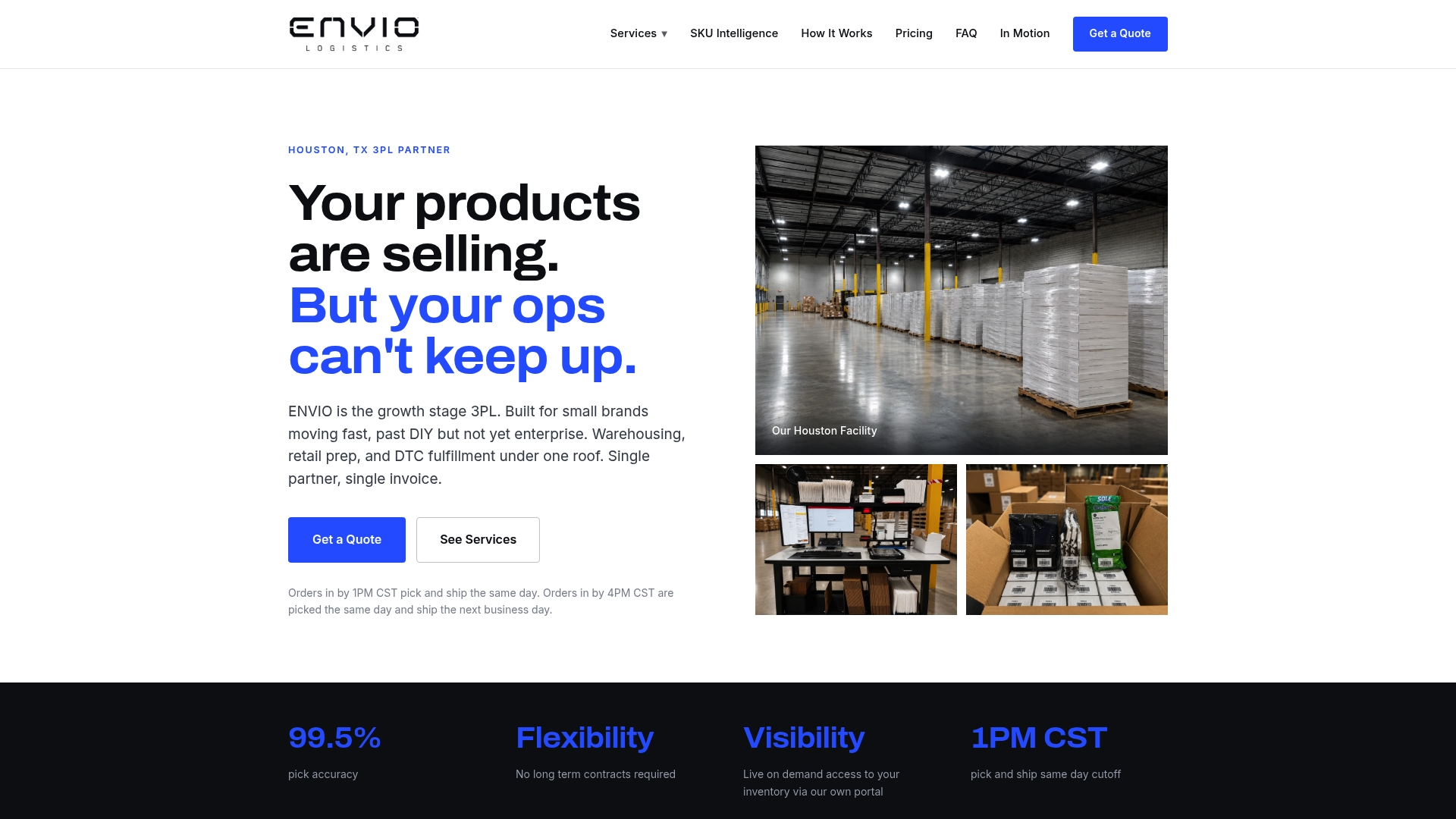
Before committing, ask us for the same things you would ask any provider: a live demo of an ATS write-back, a sample reconciliation report, and a reference call with a brand running a similar order profile. We would rather earn the relationship on those terms than on a sales pitch.
- Live inventory portal with per-location available-to-sell data.
- Same-day shipping cutoff at 1:00 PM CST.
- SKU profitability analysis to flag which products to scale or cut.
- No long-term contracts required to get started.
Request a quote through our DTC fulfillment page and bring your SKU count and order volume to the first call.
FAQ
What do Shopify inventory apps mean for brands outsourcing fulfillment?
In this context, the term refers to outsourced inventory management and order fulfillment through a third-party logistics provider, not a software plugin you install. The provider warehouses your stock, picks and packs orders, and should write available-to-sell counts back into your Shopify location.
How often should a 3PL update inventory counts in Shopify?
A layered cadence works best: real-time deduction on each order, hourly delta syncs, a nightly full reconcile, and weekly cycle counts. This combination catches both small drifts and larger discrepancies before they cause oversells.
What is the difference between on-hand and available-to-sell inventory?
On-hand counts every unit physically in the warehouse, including stock already reserved for open orders. Available-to-sell, the number Shopify recommends showing on your storefront, subtracts those commitments so customers only see what they can actually buy.
How much does ENVIO charge for fulfillment services?
Pricing depends on the service: DTC order fulfillment starts at $1.65 per order, standard pallet storage runs $25 per month per pallet, and prep services like item labeling are billed at $0.75 per unit. Full pricing for every service is listed on our services page, and custom quotes apply based on your volume.
What should I ask a 3PL before signing a contract?
Request a recent cycle count report showing inventory accuracy, confirmation of how often the provider writes available-to-sell into Shopify, and a clear returns turnaround time. Also ask for a reference call with a brand of similar size and a full breakdown of fees before committing.
Sources
- How to Choose Fulfillment Management Software for Unified Commerce (2026) - Shopify
- Inventory Truth Across Shopify and a 3PL: A Reconciliation Playbook - Uphance
- Shopify 3PL and WMS integration: five handoffs to own | Autonomous
0 comments